Software for refrigeration & air conditioning — every unit under control
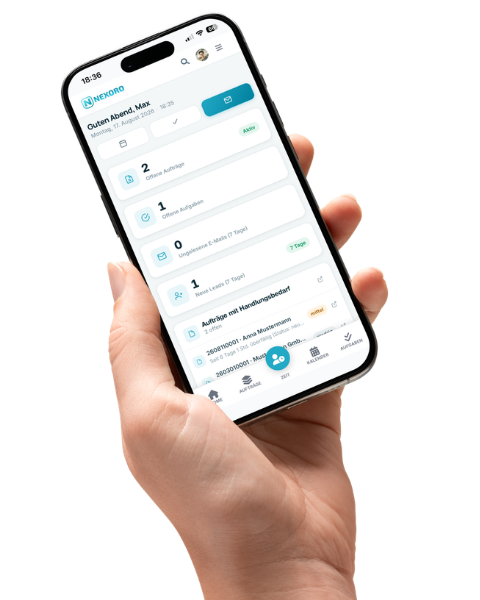
Maintenance contract, on-call duty, system history, inspection protocol: in refrigeration and air conditioning everything hinges on whether the right information is available on site. Nexoro keeps jobs, units, appointments, hours and documents in one system — on screen in the office, on a phone out in the field.
- Maintenance dates that carry themselves forward
- System history on a phone, right on site
- Protocol and invoice without entering anything twice

Over 800 companiesNexoro


A business from your trade
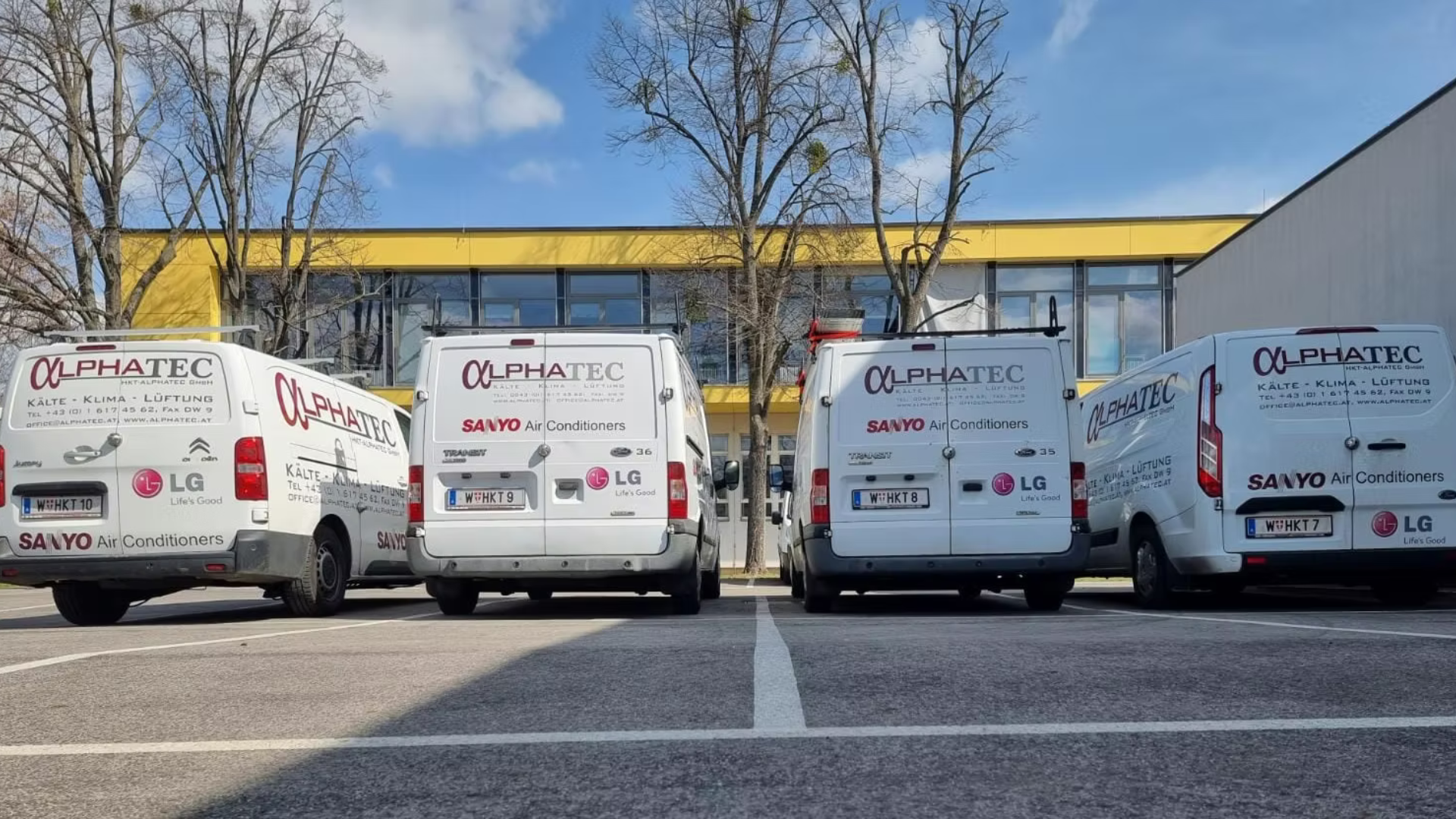
HKT-Alphatec works in refrigeration, air conditioning and ventilation — and with Nexoro. In the interview the company describes what a working day looks like today.
 Refrigeration & air conditioning
Video interview
HKT-Alphatec GmbH
HKT-Alphatec works with Nexoro. In the interview, the company talks about what its working day looks like today.
What businesses in neighbouring trades say
“My fitters see on their phones what's due on site, including photos from the last visit. That saves us a few calls to the office every day.”
Stefan Franz PallsteinerElectrical engineering
“A bathroom is finished in two weeks or it isn't — it depends on whether the tiler and the plumber line up. I don't do that scheduling at the kitchen table any more.”
Bernd BaurnbergerBathroom renovation
“With three sites running at once, things slip if you have no overview. I look in once in the morning and know where every job stands.”
Roman EichhornConstruction & renovation
Sound familiar?
Four situations that cost refrigeration and HVAC businesses time every week — and that one system, instead of five isolated tools, simply removes.
Built for the service day
Not an industry add-on and not a second program beside the office system: the same Nexoro modules, set up around how a refrigeration and HVAC business actually runs.
A maintenance plan that carries itself forward
Store the maintenance contract once and the follow-up appointments are scheduled automatically. The calendar carries personal and shared layers, appointment types with their own duration and colour, and follow-ups for everything that isn't due today but is certainly due. Who looks after which customer is in the calendar, not in a list beside it.
- Recurring maintenance with follow-up dates and reminders
- Appointment types for maintenance, faults and commissioning, each with its own duration
- Two-way Google and Outlook sync, so a technician keeps only one calendar
Whoever drives out knows what happened last time
Every job is one unbroken history: status, tasks, photos, documents, emails, calls and WhatsApp messages hang on the job, not in five inboxes. The on-call technician opens the unit on a phone and sees exactly what the office sees — including the notes from the last visit.
- Unit and job history with photos, notes and documents in one place
- Your own status workflow — from report through diagnosis to completion
- Calls, mail and WhatsApp land on the right job automatically
Your own protocol templates, without a developer team
The document wizard is a builder for your own templates: a maintenance protocol, a readings sheet, a commissioning or handover record — you assemble them yourself and fill them with text variables from the job. Every PDF comes out in your own corporate design, and afterwards sits where the job sits.
- Templates in a builder instead of Word files on a server
- Text variables pull in customer, unit, date and line items automatically
- Whitelabelling: every PDF in your own layout, with per-country wording
Recorded on site, not in the office at night
A timer that knows which job is being worked on, plus materials booked straight onto the job — so by the end of the visit it is settled what that visit cost. The monthly target-versus-actual overview per employee shows absences and overtime without anyone adding up timesheets.
- Live time tracking with a billing type — billable, warranty or internal
- Target versus actual per employee for the whole month, leave and absences included
- Project statistics that show which maintenance contract really pays
From the system quote to the final invoice, without switching systems
Larger systems and retrofits are costed as a bill of quantities with groups and line items; each item calculates itself from material, time and margin. Quote, job and invoice all come off that same data — and if an invoice stays open, the dunning process takes the reminders over.
- A bill of quantities as a tree instead of a spreadsheet, with costing templates
- Product catalogue and DATANORM import for materials and spare parts
- Dunning with payment reminders and escalation levels, automatically
Everything that hangs on a service job
- Unit history
- Follow-ups
- Inspection protocols
- Photos & documents
- Time tracking
- Materials & spare parts
- WhatsApp on the job
- Calls & click-to-call
- Customer portal
- Quotes & invoices
- Mobile on site
- Reporting
How a maintenance visit runs with Nexoro
Four steps, one set of data. Nothing between them is retyped, forwarded or searched for.
Step 1: Maintenance contract stored
The contract sits with the customer and follow-up appointments schedule themselves — with a reminder if a date has to move.
Step 2: Technician sees history and checklist on mobile
On site the technician opens the job: the last readings, replaced parts, open items, photos from last time.
Step 3: Inspection protocol captured digitally
Readings and photos go straight into your own protocol template. The PDF is produced right away, in your own layout.
Step 4: Invoice out, protocol with the customer
Hours and materials are already on the job, and the invoice comes off them. The customer finds protocol and document in the customer portal.

See Nexoro for your refrigeration and HVAC business
In the demo we walk through your own process — from the maintenance contract through the fault report to the protocol reaching the customer. No obligation, with a contact who knows your trade.
The modules behind it
Nexoro is modular: start with what the business needs today and switch the rest on when it is actually needed.
Why refrigeration and air conditioning needs software of its own
A refrigeration and air-conditioning business does not sell individual jobs, it sells a relationship to a piece of equipment: it is planned, commissioned, serviced yearly, repaired when it fails and eventually replaced. That is precisely what a classic trades app does not model — it knows the individual job, but not the unit behind it and not the contract above it.
Then there is the documentation load. Inspection protocols, readings, refrigerant and leak-check records are not paperwork around the service, they are part of it — and they have to be findable years later, not in a folder in the stockroom. Once records hang digitally on the job and the unit, "what did we do there two years ago?" is a search of seconds rather than half an afternoon.
The third point is on-call work. Faults cluster in the evening, at weekends and in the height of summer — exactly when the office is empty. A system that only runs on the office PC helps nobody at that moment. Nexoro is therefore a web interface that shows the same thing on a phone as at the desk: unit history, contact, last invoice, open items.
Nexoro is developed and operated in Austria and built for businesses in the German-speaking market — Austria, Germany and Switzerland. The interface is available in German, English and Russian, documents can be produced with per-country wording, and setup is handled by a contact who knows the business.
What to look for when choosing
- Recurring maintenance, not one-off jobsCan the system hold a maintenance contract and generate follow-up dates from it — or do you create every appointment by hand again?
- Genuinely mobile, not just "responsive"Does the technician see the same data on a phone as the office, history and documents included — or only a stripped-down job list?
- Your own protocols without programmingCan maintenance, measurement and handover protocols be designed in-house, or do you live with standard forms that don't fit your equipment?
- One system instead of five isolated toolsDo job, calendar, time tracking, communication and invoicing sit on the same data — or are you syncing five programs against each other?
- Data protection and locationWhere does your customer data sit, who operates the system, and is there a contact in your time zone when something jams?
Frequently asked questions
Find the modules that fit you
Let's get to know each other: 1-to-1 support, a no-obligation consultation, and we work out together which modules your business actually needs.