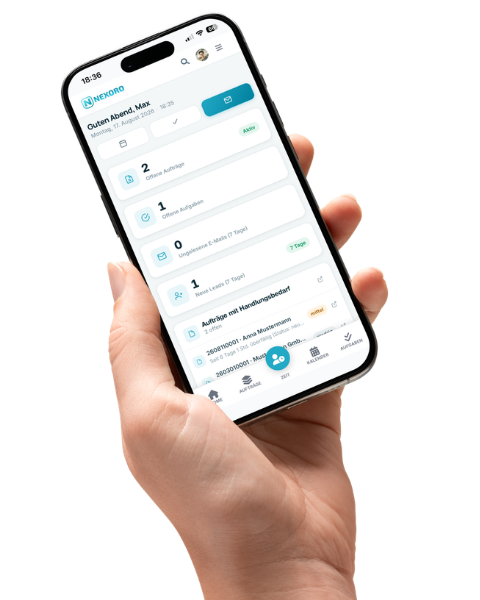
Every order in one place — from the first inquiry to the final invoice.
Order handling is the heart of Nexoro: status, tasks, documents, emails, calls, and WhatsApp all live on the same order instead of across eight tools. How an order moves through your business is up to you — statuses, workflow, and case types are freely configurable, with no code deploy.
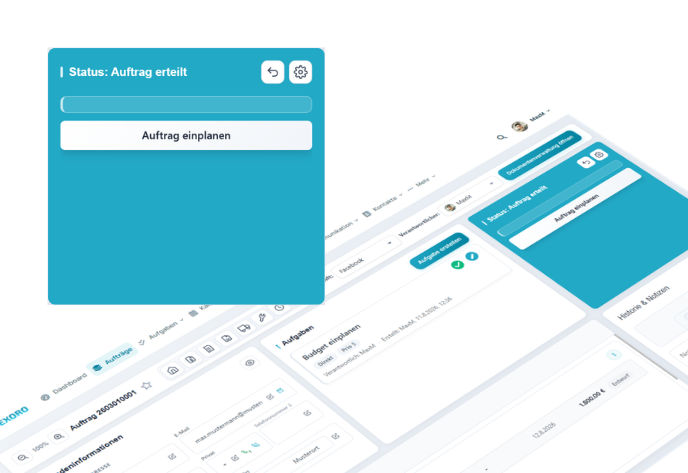
One order, one history
The order is where everything comes together: status, customer, contacts, tasks, documents, emails, calls, and notes. Calls, emails, status changes, and uploaded documents are logged as activity automatically — nobody maintains the history by hand.
- Custom fields per order — lead details, onboarding checklist, priority — admin-configurable, no code deploy.
- A file tree per order with upload, preview, and a guided document wizard.
- An AI summary of the order once its history has grown long.
Your process, not ours
You create statuses, their order, and their colors in the workflow editor yourself — along with your own case types beyond the classic order: complaint, maintenance, onboarding, tender. Numbering schemes, custom fields, and permissions hang off them, so every case type looks the way it actually runs in your business.
- Tasks created automatically on a status change — including assignee and deadline.
- Your own numbering schemes per case type and document type.
- Fine-grained group permissions: who sees, edits, and closes which case.
No callback slips through
Tasks appear in three ways: automatically from a status change, manually for a colleague, or as a note to yourself — always with assignee, group, and due date. Alongside them runs the follow-up system: callbacks with templates, snooze, and “done + new”, which closes one follow-up and creates the next in a single step.
- A Kanban project board directly on the order — no second project tool needed.
- A central task inbox across every order, filtered by person and group.
- A backlog and team resource plan for field staff, vehicles, and machinery.
Calls, email, and WhatsApp land where they belong
Click-to-call starts the conversation straight from the order via 3CX or Asterisk/FreePBX; the call log keeps the note, the recording, and the callback status. Emails come from the built-in mailbox (IMAP, Gmail, Microsoft 365) and can be attached to the order, and so can WhatsApp messages. The next colleague sees where things stand without having to ask anyone.
- A call log with recording playback and callback tracking.
- Email templates and attachments straight from the order context.
- Mobile-optimized: bottom navigation, a compact sticky header on the order, a live timer with a route button.